GIT
Copado, Git and PRs
This is the next one in my Git series and it exists for one reason: Azure DevOps PRs that look like they are full of junk. You open a PR, expecting to see the handful of files you changed, and instead you get fifty files, folders you swear you have never touched, and your dev team is melting-down because clearly the tools are broken.
They are not broken. Your mental model is.
Why the PR shows “more files than I committed”
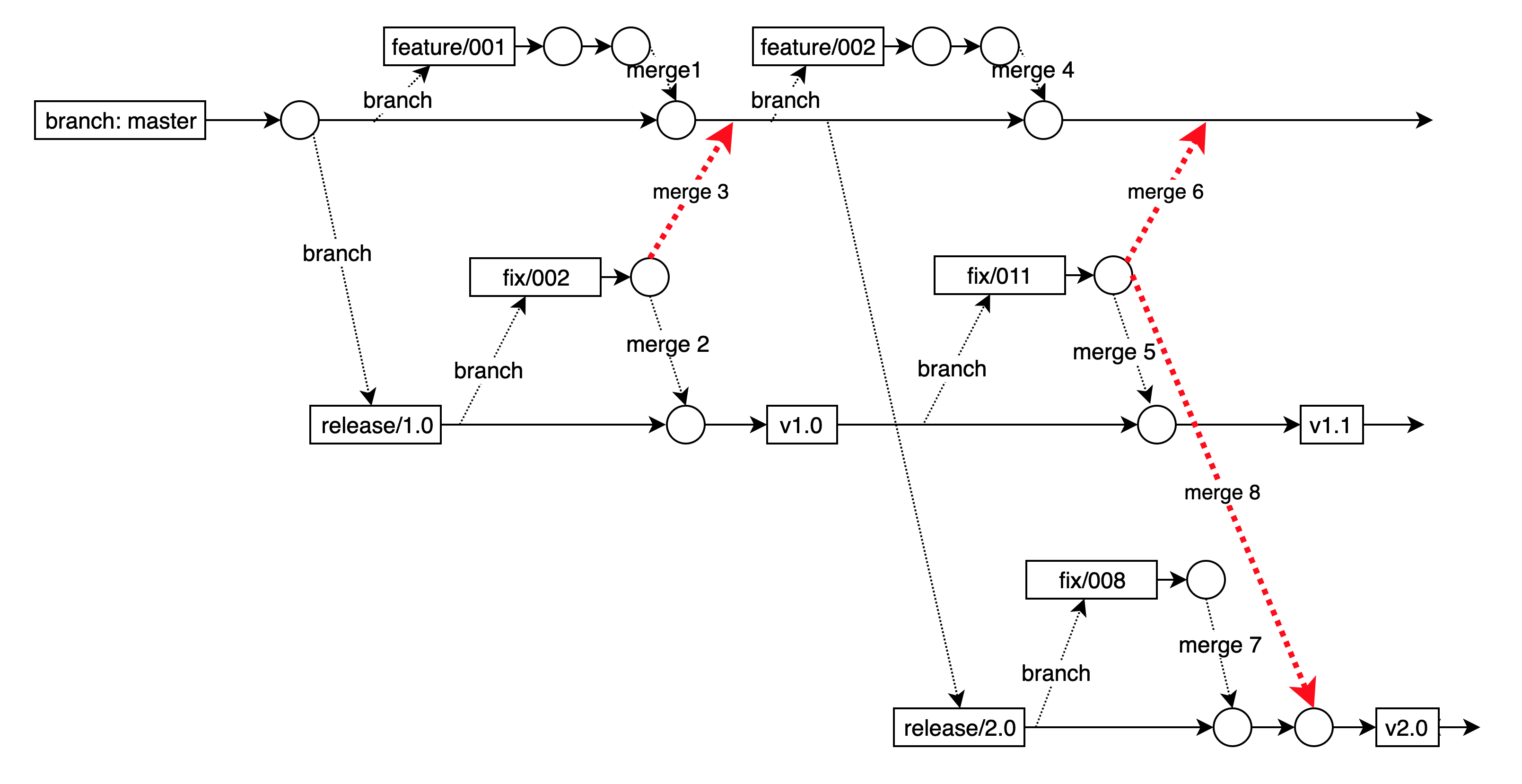
A pull request is not a receipt for what you personally committed. A pull request is a comparison between two branch tips based on the history Git can reach from each tip. That detail matters because if your source branch has dragged in extra history, then that history is part of your branch whether you intended it or not.
This is where Copado can be stupid and brilliant at the same time. Depending on how you are using it, Copado can happily introduce merge commits and ancestor history into your feature branches. If you then choose the wrong target branch in Azure DevOps, you are effectively asking Git to show every change that exists on your feature branch that does not already exist on the target. Git obeys. Azure DevOps reports it. Your PR becomes a dumpster fire.
Step one, find the last agreed commit
The only sane starting point is the merge base, the last commit both branches share. This is the “we were in sync here” commit.
git fetch origin --prune
git merge-base origin/feature/US-0002673 origin/env/UAT
Once you have the merge base, you stop guessing. Everything that makes a PR look inflated comes from the fact that Git has commits on the source side that the target side cannot reach.
Show the commits that will actually be introduced
This is the simplest truth test. It lists the commits that exist on the feature branch that are not on the target branch. If this list is bigger than what your developer thinks they did, you have your explanation.
git rev-list --count origin/env/UAT..origin/feature/US-0002673
git log --oneline --decorate --reverse origin/env/UAT..origin/feature/US-0002673
The double dot range is about reachability. If the source tip can reach a commit and the target tip cannot, that commit is included. That includes commits that arrived via merge parents. This is where the “I didn’t commit those files” argument dies.
Show the PR-style file changes the way Azure DevOps thinks about it
If you want to mirror what most PR tooling is effectively doing, use triple dot. It anchors the diff at the merge base and answers the real question: what would change on the target if this branch was merged?
git diff --name-status origin/env/UAT...origin/feature/US-0002673
git diff --shortstat  origin/env/UAT...origin/feature/US-0002673
If Azure DevOps is showing more files than expected and this diff also shows more files than expected, then the PR isn’t lying. The branch relationship is.
Prove where the extra changes came from
Most “PR is full of crap” cases come down to merge commits. Copado workflows and human workflows both create them. If merge commits exist in the range, they are a perfect trail of breadcrumbs to the imported history.
git log --oneline --merges origin/env/UAT..origin/feature/US-0002673
Pick a suspicious merge commit SHA from that list and inspect what it pulled in via its second parent. That second parent is often the reason your developer is seeing files they never touched.
git log --oneline <merge_sha>^1..<merge_sha>^2
When you show this to someone, the conversation changes instantly. It stops being “Azure is wrong” and becomes “oh, my branch contains more history than I realised.”
Finally
If you are dealing with Copado plus Azure DevOps PRs, your job is not to stare at the graph until your eyes bleed. Your job is to establish the merge base, list what commits the target cannot reach, then list the file changes from the merge base to the source tip. If those numbers are surprising, you hunt merge commits because that is where the hidden history usually entered.
Do that and you can explain, calmly and quickly, why the PR includes “too much crap” and exactly where it came from. It also gives you the leverage to fix the real issue, which is usually branch selection, merge strategy, or both.
This is article 4 on GIT, in a series. Please find links to each in the series.